A full-size mechanical keyboard can simplify both fast-paced gameplay and long work sessions by combining a familiar 104-key layout with consistent key feel, stable wired connectivity, and customizable RGB lighting. The result is a desk setup that feels predictable: no battery checks, no random disconnects, and a layout that keeps your number pad and navigation keys exactly where your hands expect them.
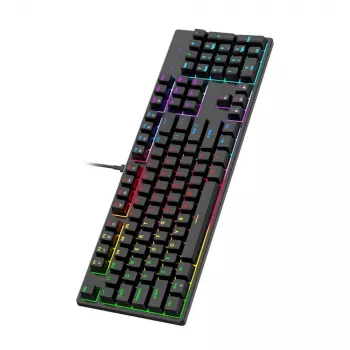
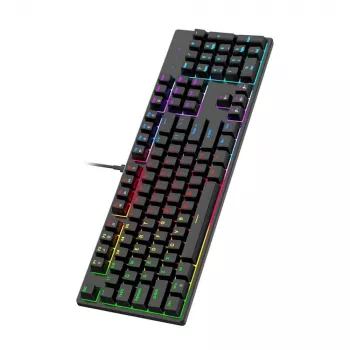
If you’re considering a board like the RGB Mechanical Wired Keyboard with 104 Keys for Gaming & Office Use, the sections below cover what matters day to day—from layout and lighting controls to comfort and setup tips.
Why a Full-Size Wired Mechanical Keyboard Works for Mixed Use
A 104-key keyboard is the “no compromises” layout for people who bounce between tasks. It keeps productivity staples within easy reach while still feeling responsive for games.
- Full 104-key layout: A complete navigation cluster and number pad make spreadsheets, data entry, and common shortcuts easier without relying on layered functions.
- Wired stability: USB connectivity prioritizes steady input and removes battery management, pairing steps, and most interference concerns.
- Mechanical consistency: Mechanical switches provide a repeatable press that supports steady typing rhythm and precise inputs for timing-heavy gameplay.
- RGB flexibility: Backlighting can improve visibility in low-light rooms, but it can also be dimmed or turned off for a calmer office look.
Design and Layout Details That Matter Day to Day
Full-size keyboards can feel immediately familiar—especially if you’re coming from a standard desktop keyboard or frequently use a number pad.
- Standard spacing reduces friction: Key spacing and a conventional layout help minimize mis-keys when switching from a laptop or a membrane board.
- Dedicated function row and nav cluster: F-keys and keys like Insert/Home/Page Up can speed up editing, multitasking, and certain software workflows.
- Number pad versatility: Great for accounting-style input, quick calculations, or even extra keybinds in games and macros in productivity apps (when supported).
- Desk footprint matters: A full-size board uses more horizontal space, which can push your mouse farther out and affect shoulder comfort over long sessions.
Lighting Controls: Practical RGB, Not Just Looks
RGB is most useful when it’s easy to control. The goal is quick switching: bright and reactive when gaming, understated when working.
- Brightness control: Lower brightness often reduces monitor glare and feels more comfortable during long typing sessions.
- Fast mode toggles: Simple switching between static, wave, and reactive modes helps the keyboard transition between work and play without fuss.
- Cleaner presentation: In shared offices or on camera, single-color or dim static lighting can look more professional than constant motion patterns.
- Cable routing counts: Since it’s wired, plan a tidy path to your PC that avoids tight bends or constant tugging at the USB connector.
Specs at a Glance
Before buying, confirm the essentials for a gaming-and-office setup. If a detail isn’t clearly listed, check specification tabs and listing images—especially switch type and lighting control options.
| Feature |
What to confirm |
Why it matters |
| Key count |
104 keys (full-size) with number pad |
Better for office data entry and familiar layout |
| Connection |
Wired USB |
Stable input and no charging |
| Lighting |
RGB with adjustable modes/brightness |
Visibility and customizable look |
| Switch feel |
Mechanical switches (type/feel if specified) |
Typing comfort and gaming response |
| Build basics |
Sturdy frame and non-slip feet |
Reduces desk movement during intense use |
| Compatibility |
Works with the intended OS and PC ports |
Avoids driver and connector surprises |
Comfort and Ergonomics for Long Sessions
A keyboard can be great on paper and still feel “off” after a few hours if the height and placement aren’t dialed in. Small changes in angle and distance can make a noticeable difference.
- Keep wrists neutral: Set the keyboard height so your wrists aren’t bent upward. If your board has flip-out feet, try both flat and raised positions to see which keeps your hands relaxed.
- Center your posture: Place the keyboard centered to your body. If mouse space is tight with a full-size layout, shifting the keyboard slightly left can keep the mouse closer to your shoulder line.
- Reduce “bottoming out” fatigue: Mechanical boards can encourage pressing all the way down. A lighter touch (stopping after actuation) may reduce finger and forearm fatigue.
- Use wrist rests thoughtfully: A wrist rest can be helpful as a pause support between bursts of typing, rather than something to press into while actively typing.
For broader workstation comfort guidance, refer to ergonomics resources from NIOSH and OSHA’s Computer Workstations eTool.
Setup Tips for Gaming and Office Profiles
Once the keyboard is on your desk, a few quick adjustments can help it feel purpose-built for both workdays and gaming nights.
When This Keyboard Is a Good Fit (and When It Isn’t)
More In-Stock Picks
FAQ
Is a wired mechanical keyboard better for gaming than wireless?
Wired USB is typically the simplest way to get stable, consistent input without pairing steps or battery checks. Many modern wireless keyboards can also be fast, but wired keeps the connection predictable and always ready.
Do 104-key keyboards work well for office tasks?
Yes—full-size layouts keep the navigation cluster and number pad available for spreadsheets, data entry, and familiar shortcuts. That familiarity can also reduce mistakes when typing quickly or multitasking.
How can RGB lighting be made less distracting while working?
Lower the brightness, switch to a static single color, or turn lighting off entirely if you prefer a cleaner look. If your keyboard supports it, save a separate brighter or reactive setting for gaming.
Recommended for you




Leave a comment