
“Tri mode” on a keyboard means it supports three different connection methods, letting you switch between them based on where and how you’re using it. On most modern mechanical keyboards, those three modes are: wired USB, Bluetooth, and 2.4GHz wireless (usually via a small USB dongle).
Wired (USB) connects directly to your computer for a stable link with no battery concerns while you type. It’s the go-to option for long work sessions, firmware updates, or when you want the simplest setup.
Bluetooth is designed for convenience and multi-device use. Many tri-mode boards can pair with multiple Bluetooth devices (like a laptop, tablet, and phone) and switch between them with a shortcut. Bluetooth is great for portability, though it can have slightly higher latency than other options and may be more sensitive to interference.
2.4GHz wireless uses a dedicated dongle for a fast, consistent connection that typically feels closer to wired performance. It’s a popular pick for gaming and desktop use when you want a clean, cable-free setup without relying on Bluetooth.
Tri-mode support makes one keyboard fit more situations: plug in at a desk, use 2.4GHz for a responsive wireless desktop setup, and switch to Bluetooth when you’re traveling or using a tablet. It also provides a backup option—if you forget to charge, wired mode keeps you going.
Not all tri-mode implementations are identical. Confirm whether the keyboard can connect to multiple Bluetooth devices, where the 2.4GHz dongle stores (if at all), how you switch modes (hardware switch vs. key combo), and the expected battery life.
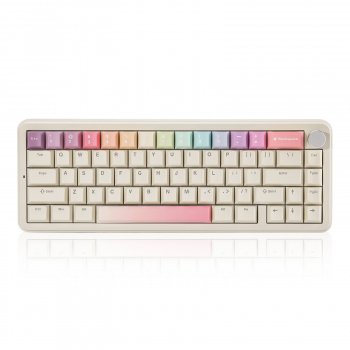
For a deeper look at how tri-mode connectivity shows up on a real 65% board, see the full guide here: https://blysseria.com/guide-beige-65-percent-tri-mode-hot-swappable-mechanical-keyboard/.
Usually, yes. A 2.4GHz dongle connection tends to deliver lower latency and a more consistent link than Bluetooth, which can help in fast-paced games.





Leave a comment